





Generator
History
Model
Base
Switch
Reference floor plan
Upload
BedRoom
-
2
+
BathRoom
-
1
+
Gross Area
Unit metric
 imperial
metric imperialArea
< 50㎡
50-80㎡
80-100㎡
100-120㎡
120-150㎡
> 150㎡
Extras
Looking for any specific?
e.g. Modern style living room with bright colors, soft lighting and minimalist design.
 Count
Count
Transform Your Ideas into Perfect Floor Plan Drawing with AI
Unleash the power of Ideal House's AI Floor Plan Generator to effortlessly create professional floor plan drawing. Whether you're conceptualizing a new build or optimizing an existing layout, our intuitive ai floor plan maker streamlines the process. Get clear, precise 2D floor plans in seconds, perfect for design visualization, real estate listings, and client presentations. Say goodbye to complex drafting and hello to instant, intelligent design.
Generate My Floor Plan


Why Ideal House is Your Go-To for Floor Plan Drawing

Instant Floor Plan Drawing Generation
Skip the manual drafting. Our AI floor plan generator quickly turns your high-level requirements into a polished 2D floor plan. Simply define your desired bedrooms, bathrooms, kitchen style, and gross area, then let AI do the heavy lifting to create precise custom floor plans.

Parametric Design for Perfect Layouts
With Ideal House, you have full control over your floor plan drawing. Specify exact parameters like bedroom count (0-4), bathroom count (1-3), open or closed kitchen, and gross area ranges (e.g., <50㎡ to >150㎡). Our ai floor plan adapts to your needs, crafting intelligent room layout design tailored to your vision.

Enhance Your Floor Plan with Smart Extras
Go beyond the basics. Integrate specific features into your floor plan drawing like a walk-in closet, laundry room, home office, garage, pantry, or a combined living-dining area. These 'extras' help our ai floor plan generator understand your functional needs, producing a practical and beautiful residential floor plan.

Streamlined for Real Estate and Design Professionals
Ideal House provides an indispensable architectural drawing tool for professionals. Generate consistent, high-quality real estate floor plans for listings, quickly explore interior layout planner options for clients, or use our ai floor plan maker to visualize a home's potential. Every floor plan drawing is ready for immediate use and iteration.

Who Benefits from Our AI Floor Plan Drawing Tool?

Homeowners & DIY Planners: Experiment with different room configurations, kitchen design layouts, and bathroom layout ideas to envision your dream space.

Interior Designers & Decorators: Rapidly generate apartment floor plan concepts for clients, iterating on designs with ease to meet specific aesthetic and functional goals.

Real Estate & Rentals Professionals: Create clear, compelling 2D real estate floor plans that help buyers and renters instantly grasp the layout and flow of a property, enhancing your listings.

Contractors & Consultants: Translate verbal project briefs into precise digital floor plan visuals, ensuring alignment and accelerating decision-making throughout the project lifecycle.

Create Your Floor Plan Drawing in 5 Simple Steps
1
Define Your Rooms: Select the number of bedrooms (0-4, default 2) and bathrooms (1-3, default 1) for your ideal layout.
2
Choose Your Kitchen Style: Decide between an open or closed kitchen (default: open) to influence the flow and feel of your living space.
3
Select Gross Area: Pick a gross area range that best matches your target size, guiding the AI to create appropriate room proportions for your smart floor plan.
4
Incorporate Extras: Multi-select additional features like a walk-in closet, laundry room, home office, or balcony to refine your custom floor plans.
5
Generate & Review: Click 'Generate' to see your new floor plan drawing instantly. Review your results, tweak parameters, and regenerate to compare versions and find the perfect home design software output.
Frequently Asked Questions About AI Floor Plan Drawing
How does Ideal House generate a floor plan drawing from my selections?
Our AI floor plan generator interprets your input—such as beds, baths, kitchen type, gross area, and extras—and applies established architectural design principles and circulation rules to draft a coherent 2D floor plan. Each click provides a fresh concept, allowing for easy refinement.
What are the available ranges for customization in the floor plan maker?
You can select 0-4 bedrooms (default 2), 1-3 bathrooms (default 1), and choose between an open or closed kitchen (default open). Gross Area can be selected from various bands. You can also multi-select numerous 'extras' to enhance your home design software experience.
How does 'Gross Area' affect my floor plan drawing?
The gross area range you select helps our ai floor plan tool determine the overall scale of your property. This ensures that the generated rooms and corridors are proportioned realistically for your chosen footprint, leading to a more believable and functional house layout planner output.
What's the difference between an 'open' and 'closed' kitchen in terms of layout?
An open kitchen design layout typically integrates the kitchen with the living and dining areas, fostering a continuous flow and open sightlines. A closed kitchen provides a distinct, separate cooking zone, offering more privacy and containment of odors and noise.
How do 'Extras' influence the generated residential floor plans?
Selecting 'Extras' like a walk-in closet, pantry, or home office signals to the AI floor plan generator to prioritize and strategically place these spaces. For example, a walk-in closet might be placed near a primary bedroom, or a pantry adjacent to the kitchen, optimizing the functional flow of your custom floor plans.
Explore More Ideal House Design Tools
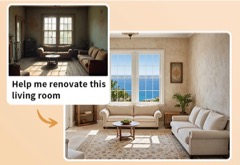
HouseGPT
Ask our AI design assistant for advice on sourcing materials or finding contractors specialized in executing a Cantabrian Art Nouveau renovation.
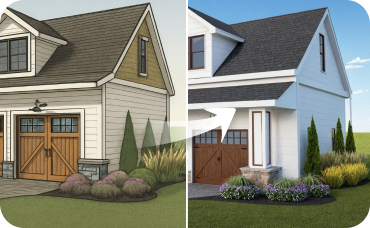
AI 3D Rendering
Turn your favorite 2D design into an immersive 3D model and get a true feel for the space.
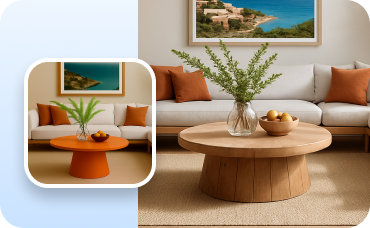
Change Furniture
Swap out specific pieces of furniture in any photo to find the perfect look.
Ready to Master Your Floor Plan Drawing?
Experience the fastest, most intuitive way to create professional floor plans for any project. Generate, customize, and share your designs with ease.
Generate My Floor Plan
Ideal.House is more than a platform—it's your all-in-one home design ecosystem. Dive into powerful AI tools such as Interior Remodel, Exterior Renovator, and Landscaping to craft stunning spaces, and let HouseGPT guide you with tailored suggestions for planning, styling, and furnishing. Connect with a passionate community to swap ideas and advice, then take your designs from concept to completion with handpicked products matched to your taste.
At Ideal.House, we've built a space where technology, creativity, and collaboration come together to redefine home design.
At Ideal.House, we've built a space where technology, creativity, and collaboration come together to redefine home design.
Technical support [email protected]



💰 Earn 10% commission as a Ideal House Affiliate Partner.
Join us